Choose the workflow that fits your MPC.
Free, OS2XL, OS3 or Light: compare the branches before you change your setup.
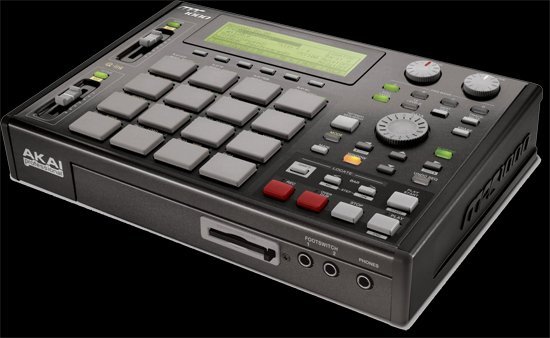
If you own an MPC1000, the first JJOS decision is not “which feature is coolest?” It is “which branch matches the way you make and exchange projects?” The official MPC1000 page identifies the supported family as MPC1000, MPC1000B, MPC1000BK, and MPC1000BK-N. Its standard-display choices are Free, OS2XL, OS3, and Light. The 240×128 LCD branches are a separate path and are outside this guide.
Free 3.16: a way to explore JJOS
The Free branch is the sensible starting point when you want to test a JJOS-style workflow before committing to a paid save-enabled branch. The official feature page calls out Grid Edit, expanded TRIM controls, Global Program Edit, audio tracks 61 to 64, revised LOAD/SAVE and Track Mute screens, USB-connected screen navigation, and a pad-sensitivity range of 1 to 25. Treat those as workflow changes, not as a promise that every OS2XL or OS3 feature is present.
OS2XL 3.90: the broad production branch
Choose OS2XL when your MPC1000 is the main sampler/sequencer and you want a branch with broad documented production features. The official matrix lists 32 audio tracks, three sample layers, two autoload holders, 129 programs, 99 sequences, 64 tracks per sequence, and up to 300,000 events. It also places many of JJOS’s advanced TRIM, GRID, program, mixer, Q-Link, pattern and controller workflows in the OS2XL family.
The important licensing distinction is practical: the official page says OS2XL can be used for functions other than saving without the password, but the SAVE screen is not available until the password is entered. Plan your evaluation around loading, editing and auditioning; plan your release workflow around confirmed save access.
OS3 2.60: a distinct branch, not an OS2XL “mode”
Choose OS3 when its branch-specific pattern, chop, program and performance behavior fits your work. The official OS3 page describes additions and changes including simulated sequence, pattern creation, non-destructive chop, saved chord setups, GRID swing, 808-style event recording, revised audio-track controls, Q-Link X-FADE, real-time chops, extra mute-group behavior, and changed envelope limits.
Do not treat OS3 and OS2XL as interchangeable project environments. The official page says OS3 is compatible with OS128XL and identifies specific differences with OS2XL. It warns that Q-Link data, program-mute settings and cycle settings may not transfer as expected from OS2XL, and that an OS3-created program loaded by OS2XL may need parameter correction. Make a branch decision before building a large sound bank.
Light 1.00: a restricted, simpler branch
Light can make sense when you deliberately want a smaller branch. The official comparison lists the same broad 32-audio-track/129-program/99-sequence/64-track structure as OS2XL and OS3, but shows a 300-bar maximum where OS2XL and OS3 show 999. It also marks several capabilities differently, including sample-layer information and instrument-envelope behavior; the chart explicitly notes that ADSR/AHDSR in Light are INST-only. Do not promise OS2XL/OS3 parity from the name “Light.”
The official page also says that Light, like OS3, can be used without the OS2XL password except that SAVE mode is unavailable; the OS2XL password enables save access.
A practical choice rule
- Learning JJOS and testing a workflow: start with Free 3.16.
- Large sample-and-sequence projects with broad JJOS feature coverage: evaluate OS2XL 3.90.
- Pattern/chop/performance workflows that depend on OS3 behavior: choose OS3 2.60, and keep OS3 projects separated until a small compatibility test passes.
- A deliberately smaller branch: consider Light 1.00, after checking its feature matrix and bar limit against your project.
Before changing branches, duplicate important projects and samples. The official compatibility notes are enough to justify a test project; they are not a guarantee that a full library will translate cleanly. The official site also warns that changing OS requires holding ERASE while powering on until the main screen appears; it warns that skipping this can cause a freeze or crash. Follow the current official page and branch-specific documentation for any actual changeover.
Explore sounds for your MPC1000 and find your next idea.